Extract Links
Extract Links from Response Body
Section titled “Extract Links from Response Body”Search through the body of valid responses (html, javascript, etc…) for additional endpoints to scan. This turns
feroxbuster into a hybrid that looks for both linked and unlinked content.
Example request/response with --extract-links enabled:
- Make request to
http://example.com/index.html - Receive, and read in, the
bodyof the response - Search the
bodyfor absolute and relative links (i.e.homepage/assets/img/icons/handshake.svg) - Add the following directories for recursive scanning:
http://example.com/homepagehttp://example.com/homepage/assetshttp://example.com/homepage/assets/imghttp://example.com/homepage/assets/img/icons
- Make a single request to
http://example.com/homepage/assets/img/icons/handshake.svg
./feroxbuster -u http://127.1 --extract-linksComparison
Section titled “Comparison”Here’s a comparison of a wordlist-only scan vs --extract-links
using Feline from Hack the Box:
Wordlist only
Section titled “Wordlist only”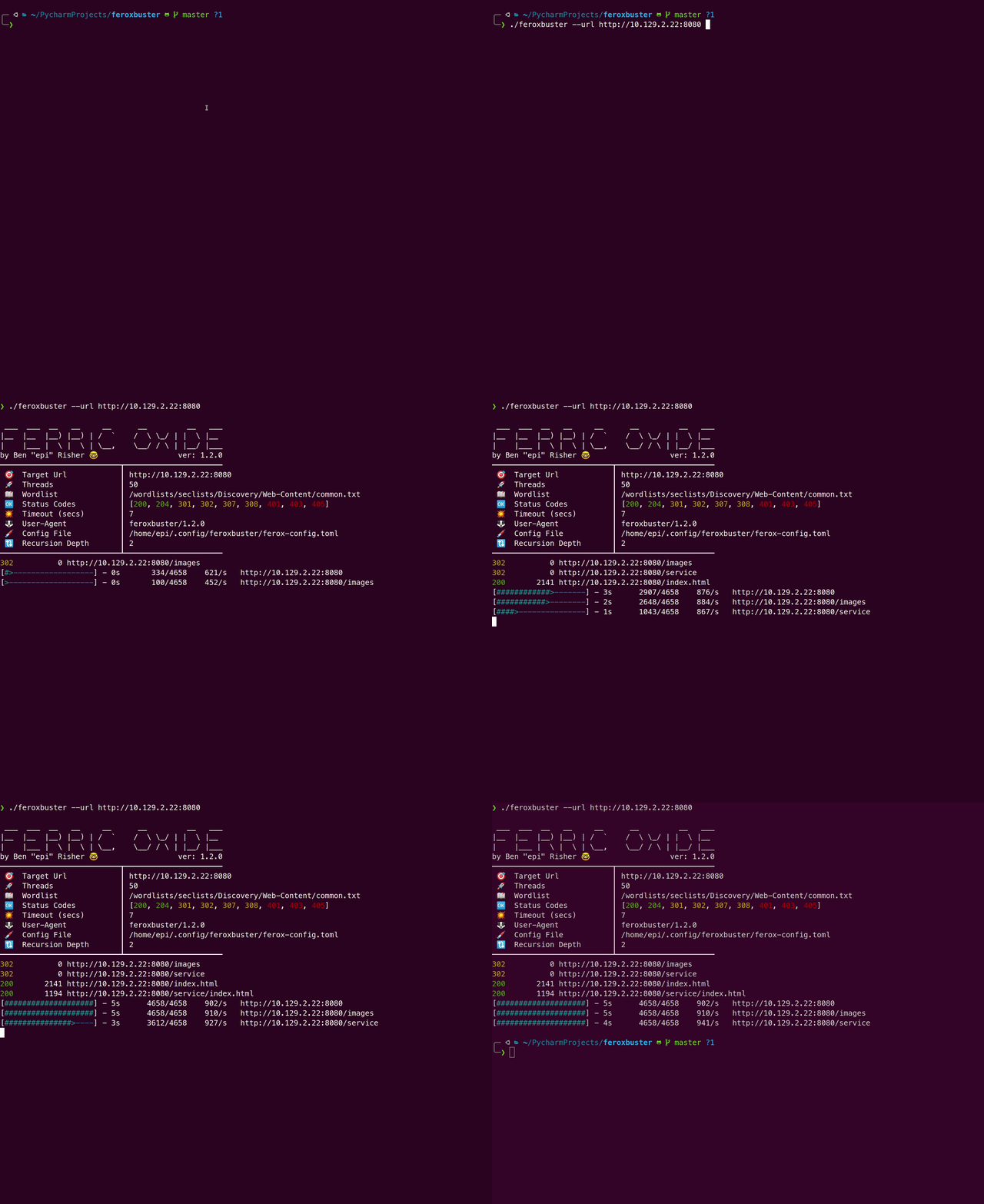
With --extract-links
Section titled “With --extract-links”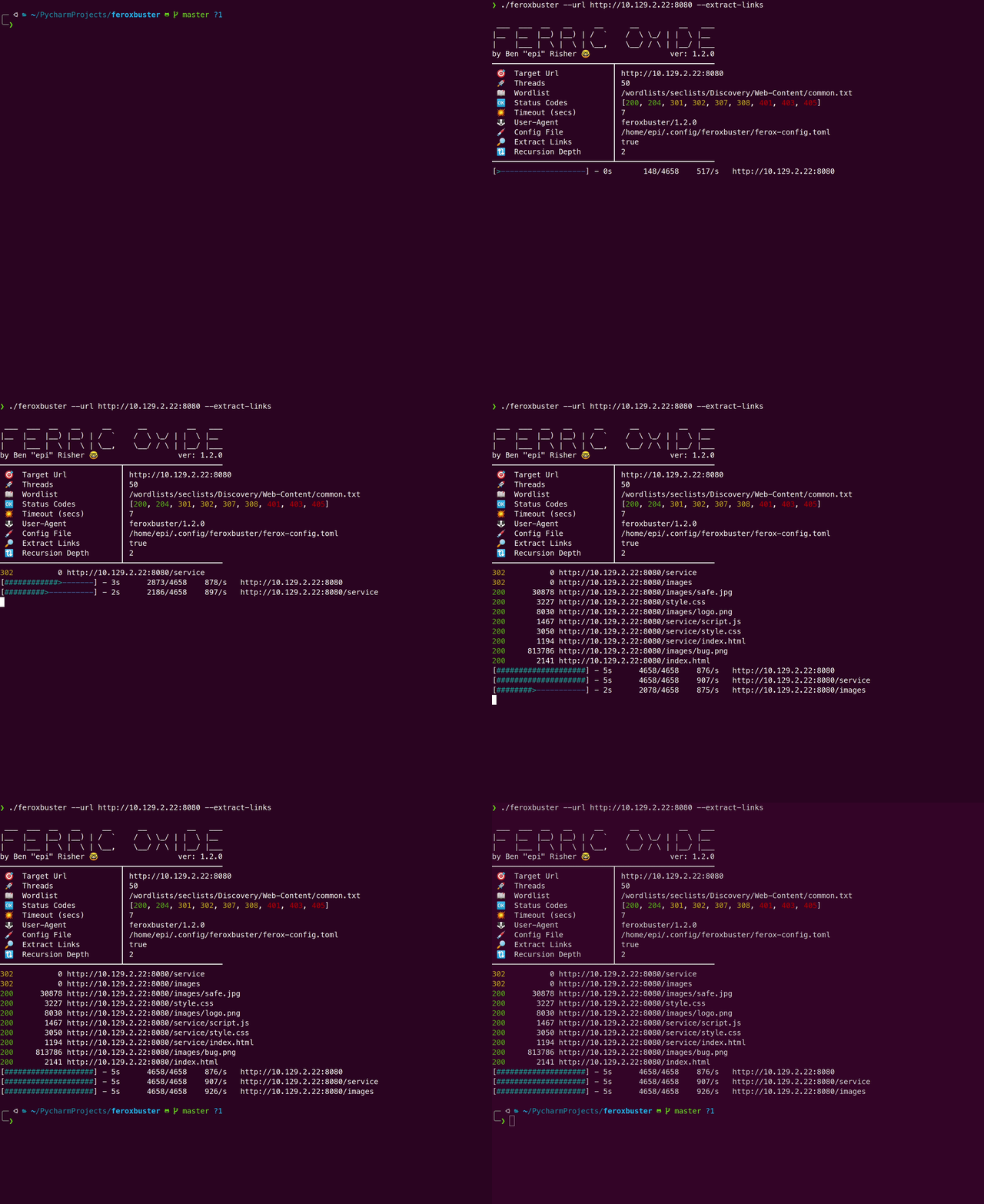
Extract from robots.txt (v1.10.2)
Section titled “Extract from robots.txt (v1.10.2)”In addition to extracting links from the response body, using
--extract-links makes a request to /robots.txt and examines all Allow and Disallow entries. Directory entries
are added to the scan queue, while file entries are requested and then reported if appropriate.
Using Extract Links for Web Crawling
Section titled “Using Extract Links for Web Crawling”By supplying a single line word list containing only the root path feroxbuster can also be used to simulate web
crawling behavior. This appears to give results comparable to hakrawlwer
although feroxbuster is not quite as fast.