Rate Limiting
Limit Number of Requests per Second
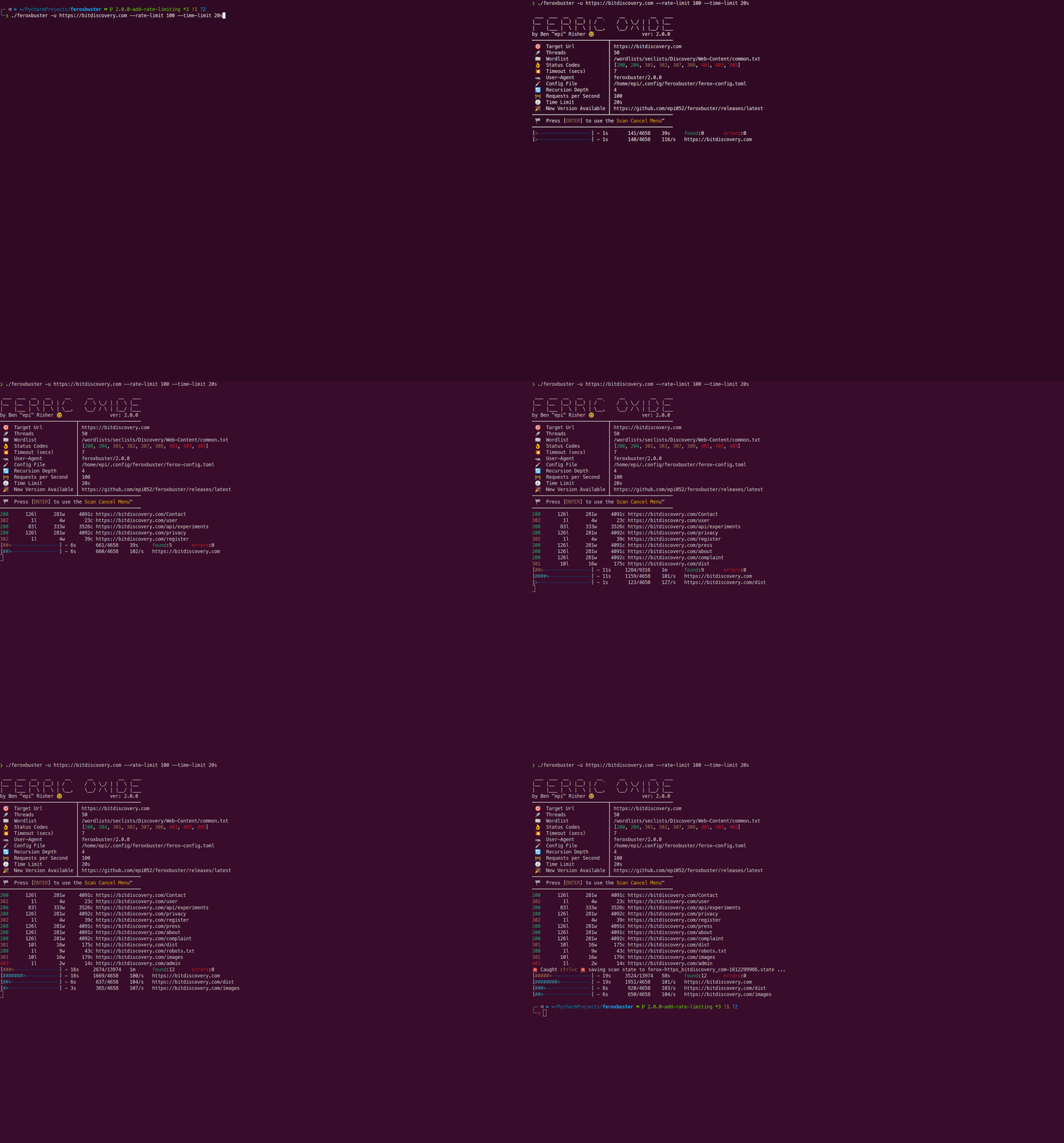
Section titled “Limit Number of Requests per Second”Version 2.0.0 added the ability to limit the number of requests per second.
Interaction with Auto-Tune
Section titled “Interaction with Auto-Tune”As of version 2.13.1, --rate-limit can be used together with --auto-tune. When both flags are provided:
--rate-limitserves as a hard cap on the maximum request rate--auto-tunewill dynamically adjust the rate limit downward when errors occur- Auto-tune adjustments will never exceed the value specified by
--rate-limit - When auto-tune attempts to remove the rate limit (after successful recovery), it will instead reset to the
--rate-limitcap rather than removing it entirely
This combination is useful when you want adaptive rate limiting with a guaranteed maximum to ensure you never exceed a specific request rate.
Examples
Section titled “Examples”Basic Rate Limiting
Section titled “Basic Rate Limiting”Limit number of requests per second, per directory, to 100 (requests per second will increase by 100 for each active directory found during recursion)
./feroxbuster -u http://localhost --rate-limit 100Limit number of requests per second to 100 to the target as a whole (only one directory at a time will be scanned, thus limiting the number of requests per second overall)
./feroxbuster -u http://localhost --rate-limit 100 --scan-limit 1Capped Auto-Tune
Section titled “Capped Auto-Tune”Combine auto-tune with a hard cap of 50 requests per second:
./feroxbuster -u http://localhost --auto-tune --rate-limit 50With this configuration:
- Auto-tune will start at 50 req/s (the cap)
- If errors occur, it will reduce the rate (e.g., to 25, then 12, etc.)
- As errors decrease, it will increase the rate back up
- It will never exceed 50 req/s, even during recovery
Demonstration
Section titled “Demonstration”