Stop/Resume Scans
Stop and Resume Scans
Section titled “Stop and Resume Scans”Version 1.9.0 adds a few features that allow for completely stopping a scan, and resuming that same scan from a file on disk.
Stop the scan
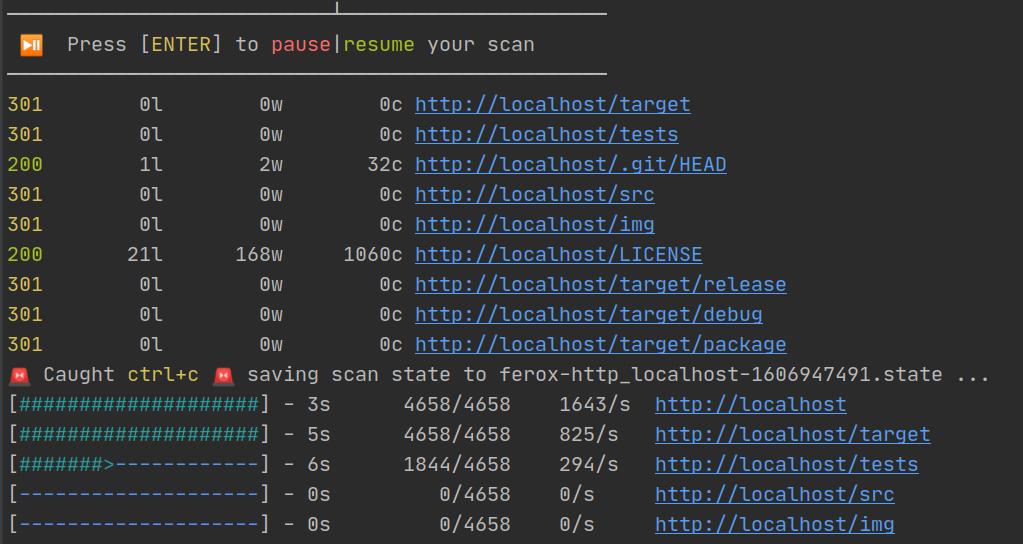
Section titled “Stop the scan”A simple Ctrl+C during a scan will create a file that contains information about the scan that was cancelled.
// example snippet of state file
{  "scans": [    {      "id": "ca21821164b44b3d8eaa76550577246c",      "url": "https://localhost.com/",      "normalized_url": "https://localhost.com/",      "scan_type": "Directory",      "status": "Running",      "num_requests": 4714,      "requests_made_so_far": 3468    },    {      "id": "d65b59601117415abf9ce6c0aa69edc7",      "url": "https://localhost.com/api/",      "normalized_url": "https://localhost.com/api/",      "scan_type": "Directory",      "status": "Running",      "num_requests": 4714,      "requests_made_so_far": 2774    }  ],  "config": {    "wordlist": "/wordlists/seclists/Discovery/Web-Content/common.txt",    "...": "..."  },  "responses": [    {      "type": "response",      "url": "https://localhost.com/Login",      "path": "/Login",      "wildcard": false,      "status": 302,      "content_length": 0,      "line_count": 0,      "word_count": 0,      "headers": {        "content-length": "0",        "server": "nginx/1.16.1"      }    }  ]},
Resume the scan
Section titled “Resume the scan”Based on the example image above, the same scan can be resumed by
using feroxbuster --resume-from ferox-http_localhost-1606947491.state. Directories that were already complete are not
rescanned.
(updated behavior for 2.8.0) Partially complete scans are started from roughly where they left off. More specifically, 10% less than the number
of requests that were made already (requests_made_so_far) becomes the starting offset into the wordlist. This is to
help ensure that no responses were lost mid-flight when cancelling/resuming.
formula in pseudocode
wordlist_offset = requests_made_so_far - (requests_made_so_far * 0.10)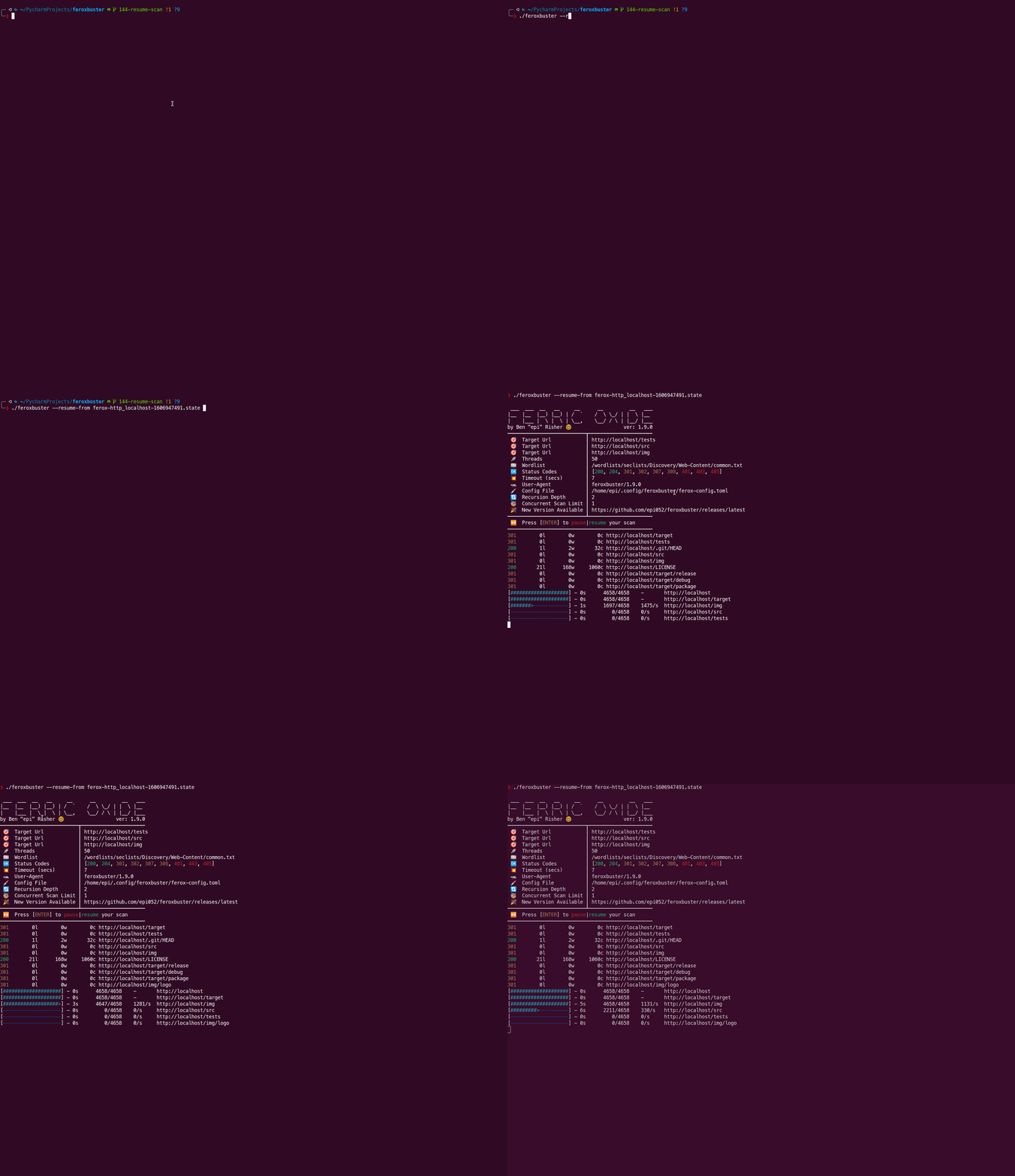
Opt-out of saving state
Section titled “Opt-out of saving state”In order to prevent state file creation when Ctrl+C is pressed, you can simply add the entry below to
your ferox-config.toml.
save_state = falseConfigure name of the state file
Section titled “Configure name of the state file”To override the naming convention with something custom, pass the environment variable STATE_FILENAME with its value having the name you want to use for the state file. You can even define a path where the state file will be saved instead of the same directory.
Windows example
Section titled “Windows example”set STATE_FILENAME=C:\path_to_save_location\test.state && C:\path_to_feroxbuster\feroxbuster.exe -u ...Linux example
Section titled “Linux example”STATE_FILENAME=/some/path/to/a/file feroxbuster -u ...