Interpreting Results
feroxbuster attempts to be intuitive and easy to understand, however, if you are wondering about any of the scan’s
output and what it means, this is the section for you!
Discovered Resource
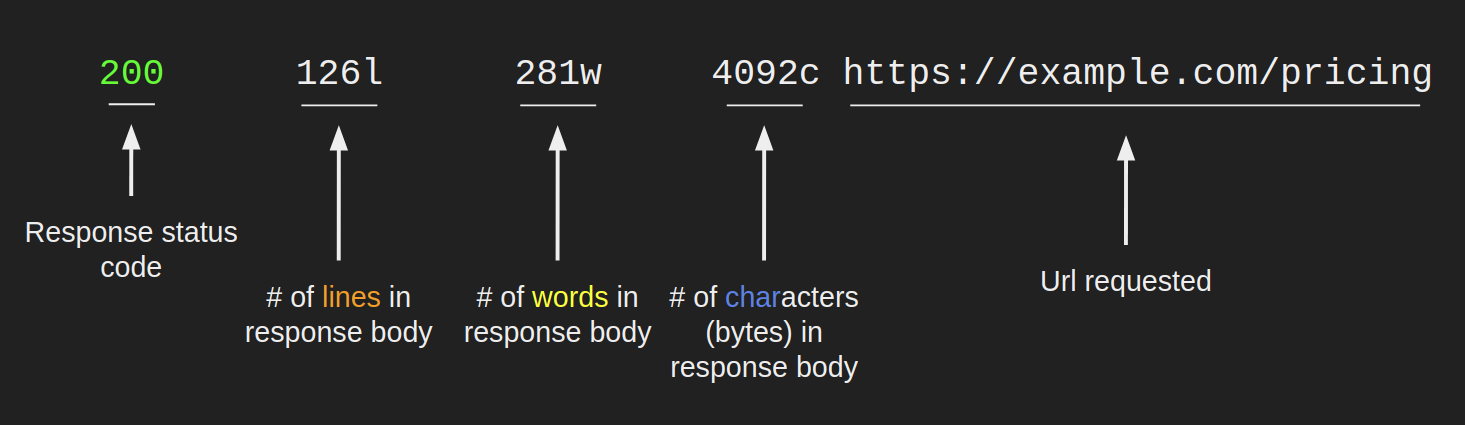
Section titled “Discovered Resource”When feroxbuster finds a response that you haven’t filtered out, it’s reported above the progress bars and looks similar to what’s pictured below.
The number of lines, words, and bytes shown here can be used to filter those responses
Overall Scan Progress Bar
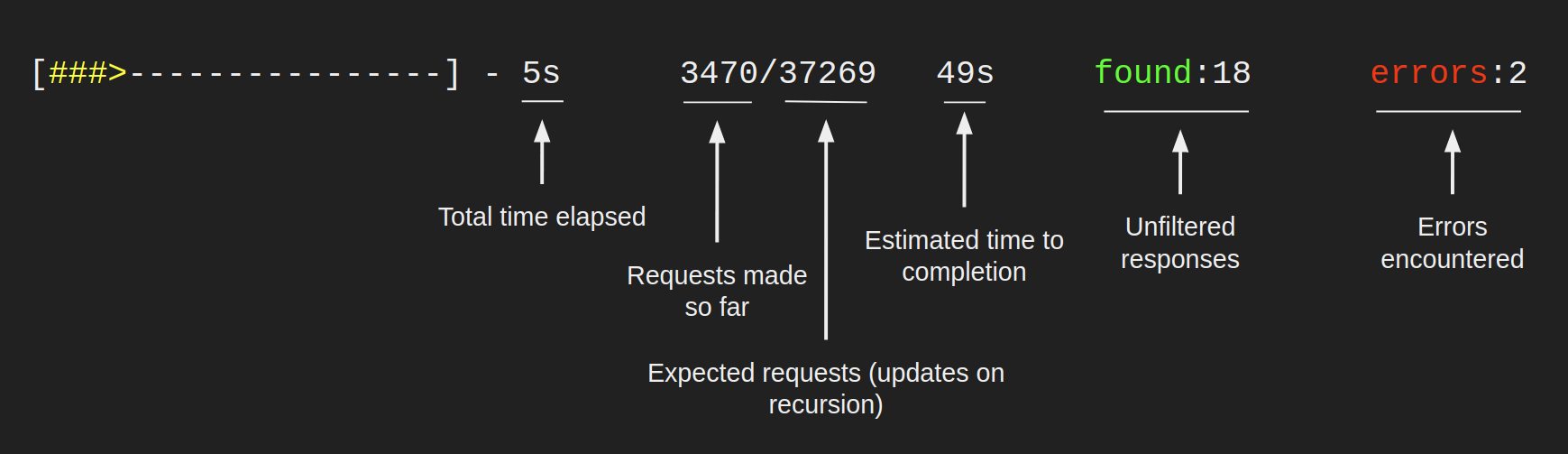
Section titled “Overall Scan Progress Bar”The top progress bar, colored yellow, tracks the overall scan status. Its fields are described in the image below.
Directory Scan Progress Bar
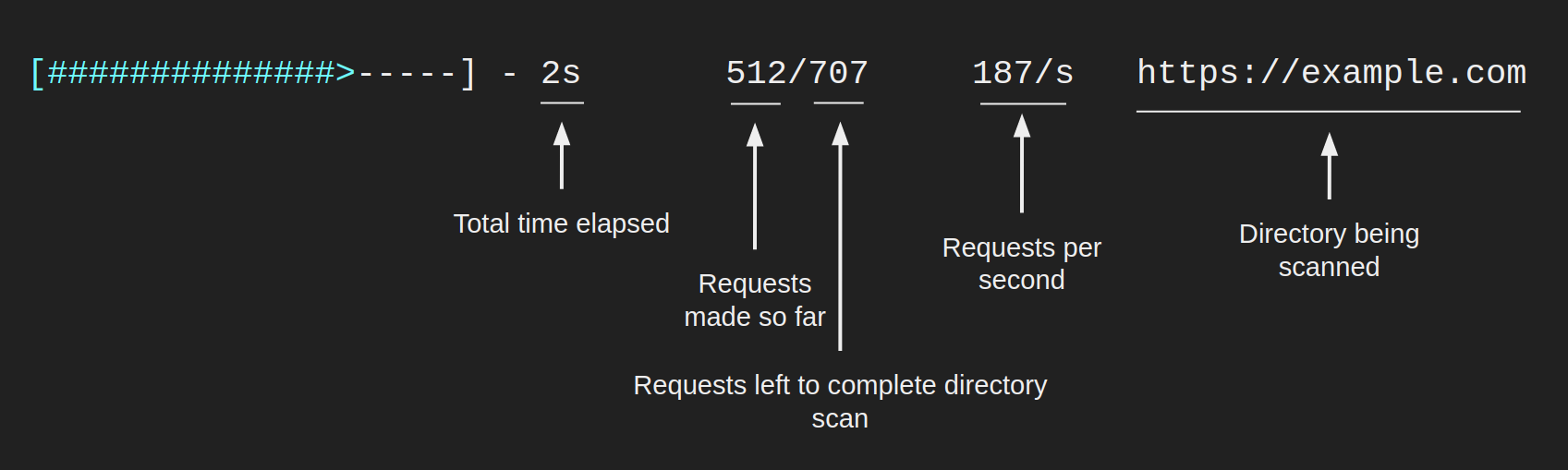
Section titled “Directory Scan Progress Bar”All other progress bars, colored cyan, represent a scan of one particular directory and will look similar to what’s below.